
For subcontractors
3 minUpload your COI from the link your contractor sent
Use the secure upload link to review requested corrections and send a replacement without creating an account.
No account needed
- 1
1.Open the secure link
Open the correction link from the email your contractor sent. You do not need a COI Compass account or password.
The link is scoped to your company and the requested replacement. It expires after 14 days and can be used only once.
- 2
2.Review each requested correction
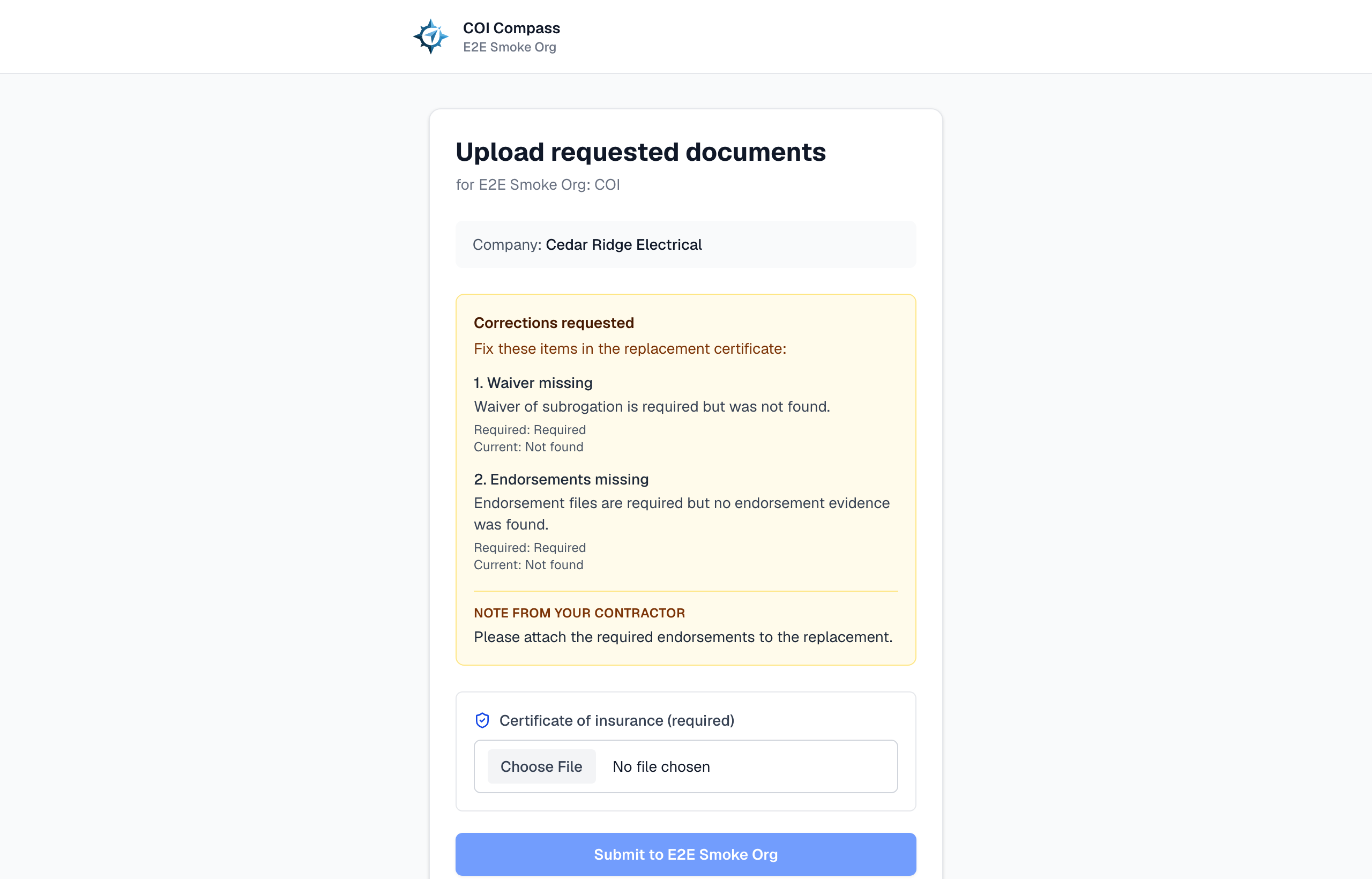
A correction request opens with "Corrections requested" and a numbered list of the items that failed review. It may show a required value, the safe current value, and a note from your contractor.
The page does not expose the contractor's internal review notes or raw certificate data. Ask your contractor or broker if any requested change is unclear.
- 3
3.Choose the replacement file
Upload the corrected certificate under "Certificate of insurance (required)." Files can be PDF, JPEG, or PNG and can be up to 25 MB.
After you choose the file, the page shows the selected file name and size so you can confirm the correct document is attached.
- 4
4.Submit the replacement
Click "Submit to {contractor}" and keep the tab open while COI Compass uploads, reads, and saves the certificate.
The replacement is linked to the rejected certificate. COI Compass extracts the new fields, re-runs the contractor's requirements, and stops correction follow-up while the new document is reviewed.
- 5
5.Confirm it was received
The success screen says "Got it. Your COI has been received." Your contractor is notified and can review the replacement.
If the new certificate passes the configured requirements, the correction is resolved. If it still needs work, your contractor can send an updated request.
COI Compass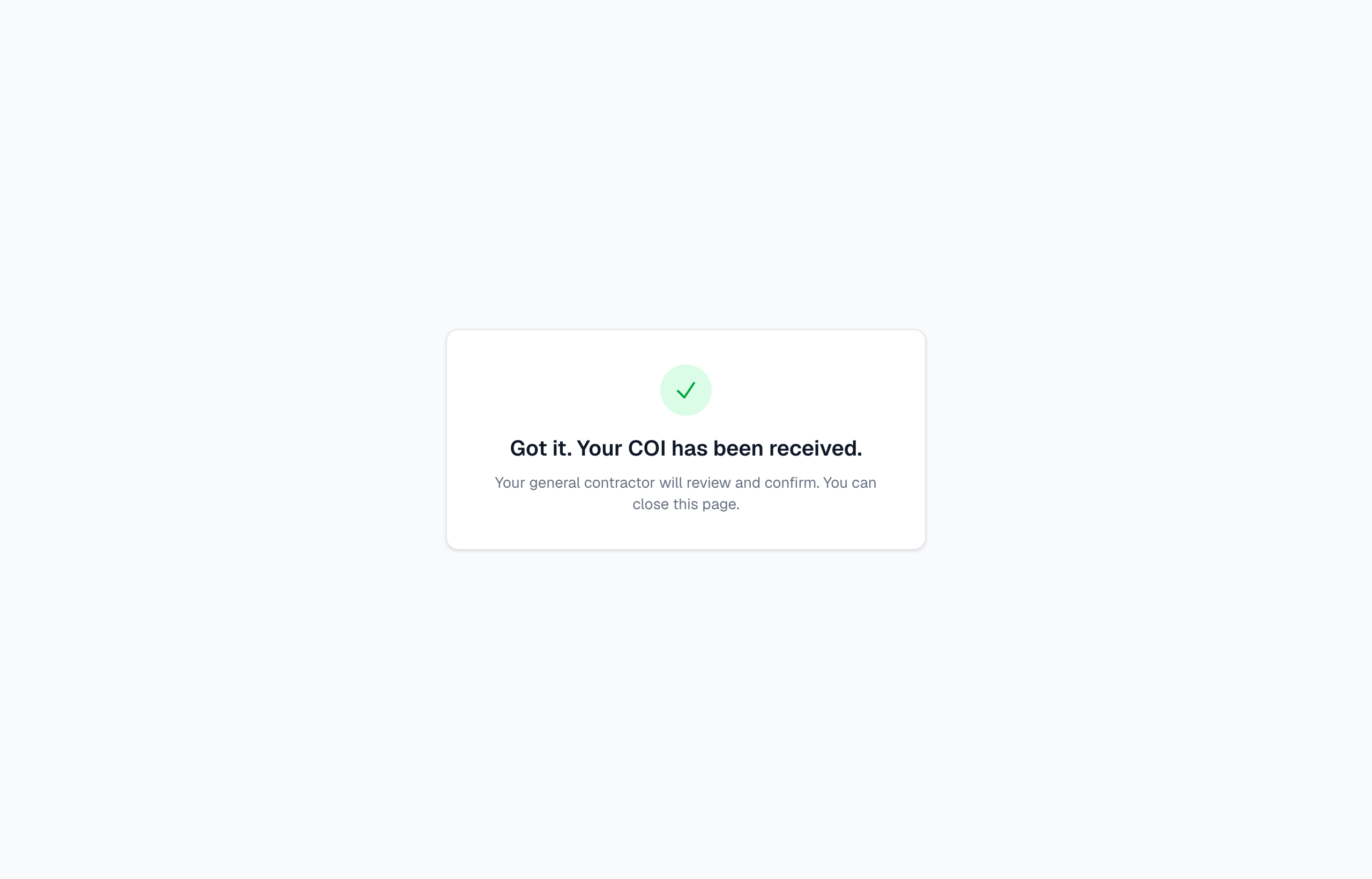
The replacement is saved and queued for your contractor's review.
Common questions
Do I need to sign in?
No. The secure link is enough. It identifies the company and correction request without exposing the contractor's account.
What if my link does not work?
If the page says the link is invalid, expired, temporarily unavailable, or already used, contact your contractor and ask for a new correction link.
Will the old rejected certificate disappear?
No. The replacement supersedes it, but the original request, rejected certificate, recheck result, and relationship remain in the contractor's audit history.