
For contractors
3 minRead a subcontractor's compliance record
Use the subcontractor detail page to review COI status, document status, contact details, and the audit log.
Anyone on the team
- 1
1.Open the company file
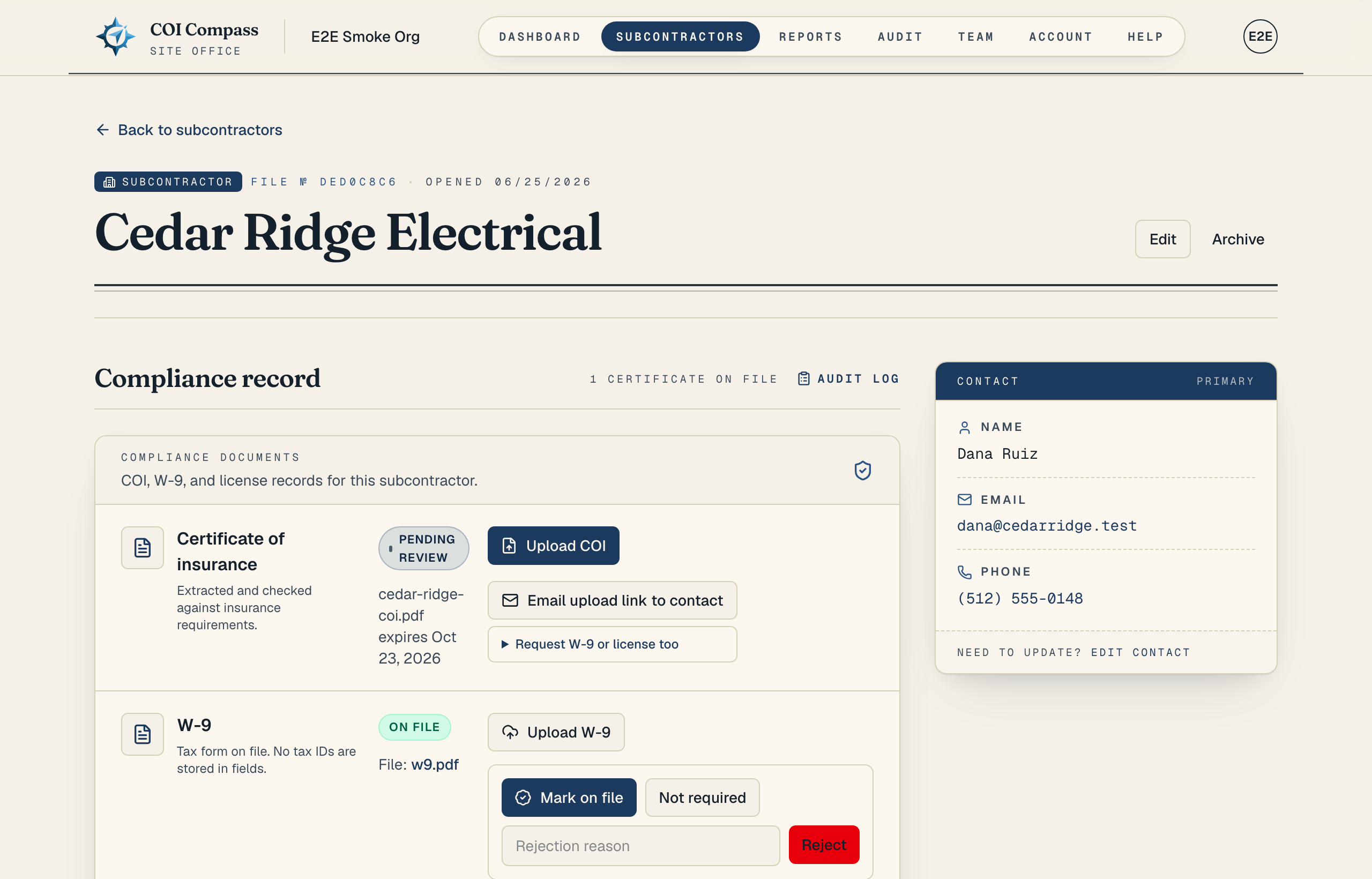
From the Subcontractors roster, click the company name or the "Open" link. The roster shows assigned projects and their requirement status. The dossier header shows "Subcontractor", a file number, the opened date, and buttons for "Edit" plus either "Archive" or "Restore".
The contact card names each assigned project and shows its compliance result. When there is no project, it says "Company defaults". If the subcontractor is archived, the header also shows "Archived". The requirements section shows the saved rules for each assigned project.
- 2
2.Read the certificate row
In "Compliance record", start with the "Compliance documents" card. The "Certificate of insurance" row shows the current COI status and tells you whether a file is uploaded.
The current COI can be "Missing", "Pending Review", "Valid", "Expiring Soon", "Expired", or "Rejected". Use "Upload COI" to add a certificate yourself, or "Request COI" to ask the subcontractor for one.
- 3
3.Review COI history
When certificates exist, the "Certificates of insurance" table shows every COI row, including superseded files. Read the columns "Status", "Uploaded", "Earliest expiry", "Requirement check", "File", and "Action".
The requirement check can show "Passed", "Needs review", "Failed", "Exception approved", or "Not checked". Pending certificates use "Review →", and completed rows use "View".
- 4
4.Check W-9 and license status
The same "Compliance documents" card includes "W-9" and "Contractor license". Each row has its own status, upload control, file link when one exists, and review controls.
For a contractor license, the record can also show "State", "Number", "Type", and "Expires".
- 5
5.Use the contact card and audit log
The right-side contact card is labeled "Contact" and "Primary". It shows "Name", "Email", and "Phone", or "Not provided" when a field is blank.
Click "Edit contact" to update contact details. Click "Audit log" near the top of "Compliance record" to see the activity history for this subcontractor.
Common questions
Why do I see more than one COI row?
The latest active certificate drives the current status, but older and superseded certificates stay in the history table so you can see what changed over time.
What does "Needs review" mean?
"Needs review" means COI Compass found something that should be checked by your team before you treat the certificate as compliant.