
For contractors
2 minEdit a subcontractor's contact details
Update a subcontractor's company name, contact person, email, or phone number from the detail page.
Anyone on the team
- 1
1.Open the edit form
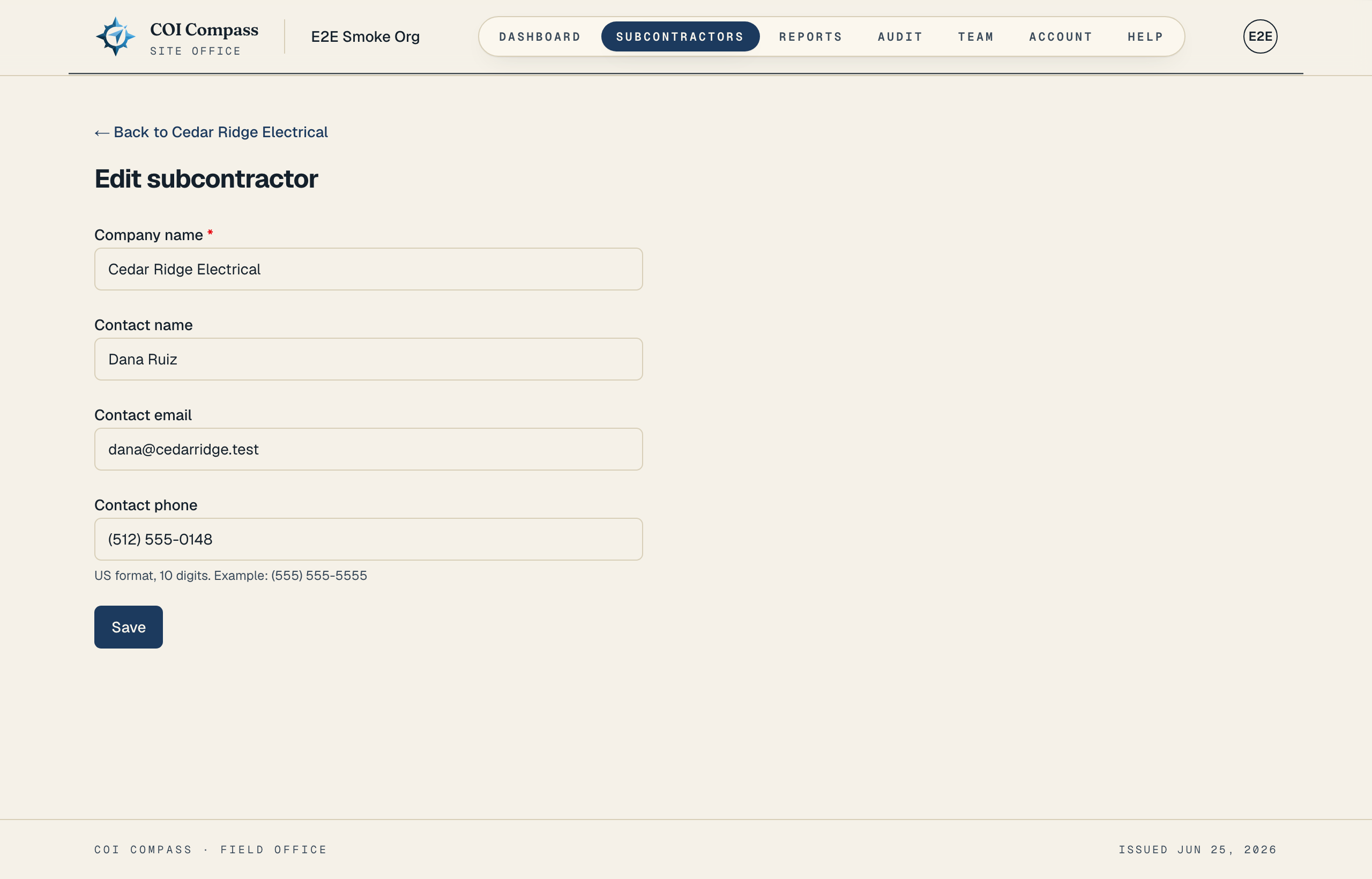
Open the subcontractor detail page and click "Edit" in the dossier header. You can also use "Edit contact" in the contact card.
The edit page title is "Edit subcontractor" and the back link returns to the subcontractor's detail page.
- 2
2.Change the fields that need updating
You can change "Company name", "Contact name", "Contact email", and "Contact phone". "Company name" remains required, and phone numbers still use the US format hint. Project assignments do not change when you save contact details.
The add-only project field and the checkbox, "Email this subcontractor a link to upload their COI", are not shown on the edit form.
- 3
3.Save the changes
Click "Save". COI Compass returns you to the subcontractor detail page.
Only fields that actually changed are recorded in the audit history. Blank optional fields and empty saved values are treated the same.
Changing the contact email does not automatically resend an upload link. Send a new link from the detail page if you need one.
Common questions
Can I rename a subcontractor after COIs are uploaded?
Yes. Updating "Company name" changes the subcontractor record, but it does not delete COI history or credential history.
Will editing the email notify the subcontractor?
No. Saving contact changes only updates the record. Use "Request COI" if you want to send a fresh request.