
For contractors
2 minAdd a subcontractor
Create a single subcontractor record, add their contact details, and optionally email them a secure COI upload link.
Anyone on the team
- 1
1.Open the add form
Click Subcontractors in the top navigation. On the active roster, click "Add subcontractor". If the roster is empty, you may see the same "Add subcontractor" button beside "Upload first COI" and "Import CSV".
The top of the roster also has quick actions for "Upload COI", "Import CSV", and "Add subcontractor".
- 2
2.Enter the company and contact details
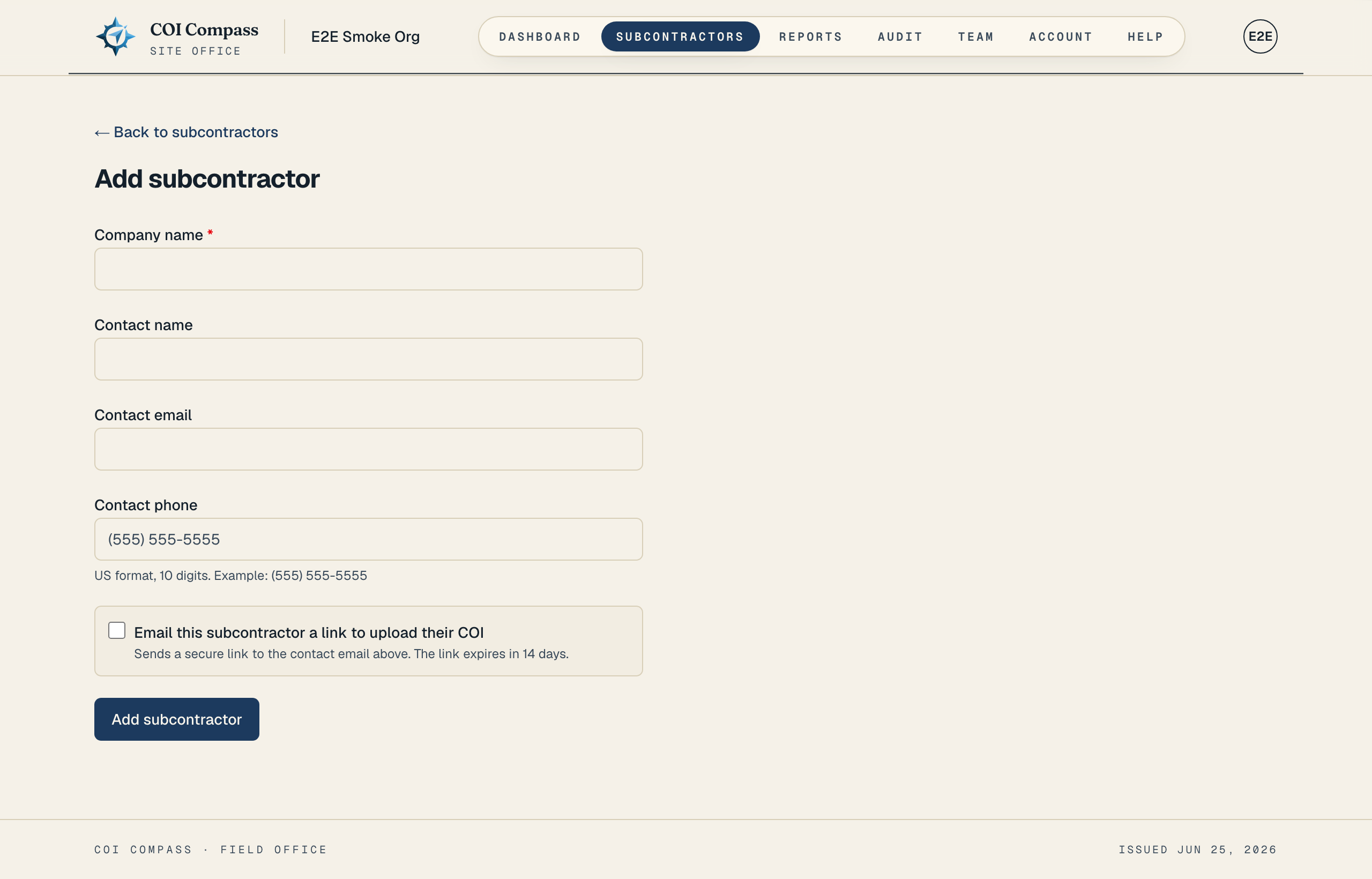
Fill in "Company name," which is required. Select a project when this subcontractor must follow that job's requirements. Leave "No project (company defaults)" selected to use the company rules. Add "Contact name," "Contact email," and "Contact phone" when you have them.
Phone numbers are formatted as US numbers. The hint under the phone field says "US format, 10 digits. Example: (555) 555-5555."
- 3
3.Choose whether to send an upload link
If you want the subcontractor to upload their own COI, select "Email this subcontractor a link to upload their COI." The form explains that it "Sends a secure link to the contact email above. The link expires in 14 days."
This option needs a contact email. If you select it without entering one, COI Compass shows "A contact email is required to send the upload link."
The upload link is sent after the subcontractor record is created. If email sending has a temporary issue, the record still saves so you can resend from the subcontractor detail page. - 4
4.Save the subcontractor
Click "Add subcontractor". COI Compass saves the record and returns you to the Subcontractors roster.
From the roster, open the company file to upload a COI, send an upload link, or review the compliance record.
COI Compass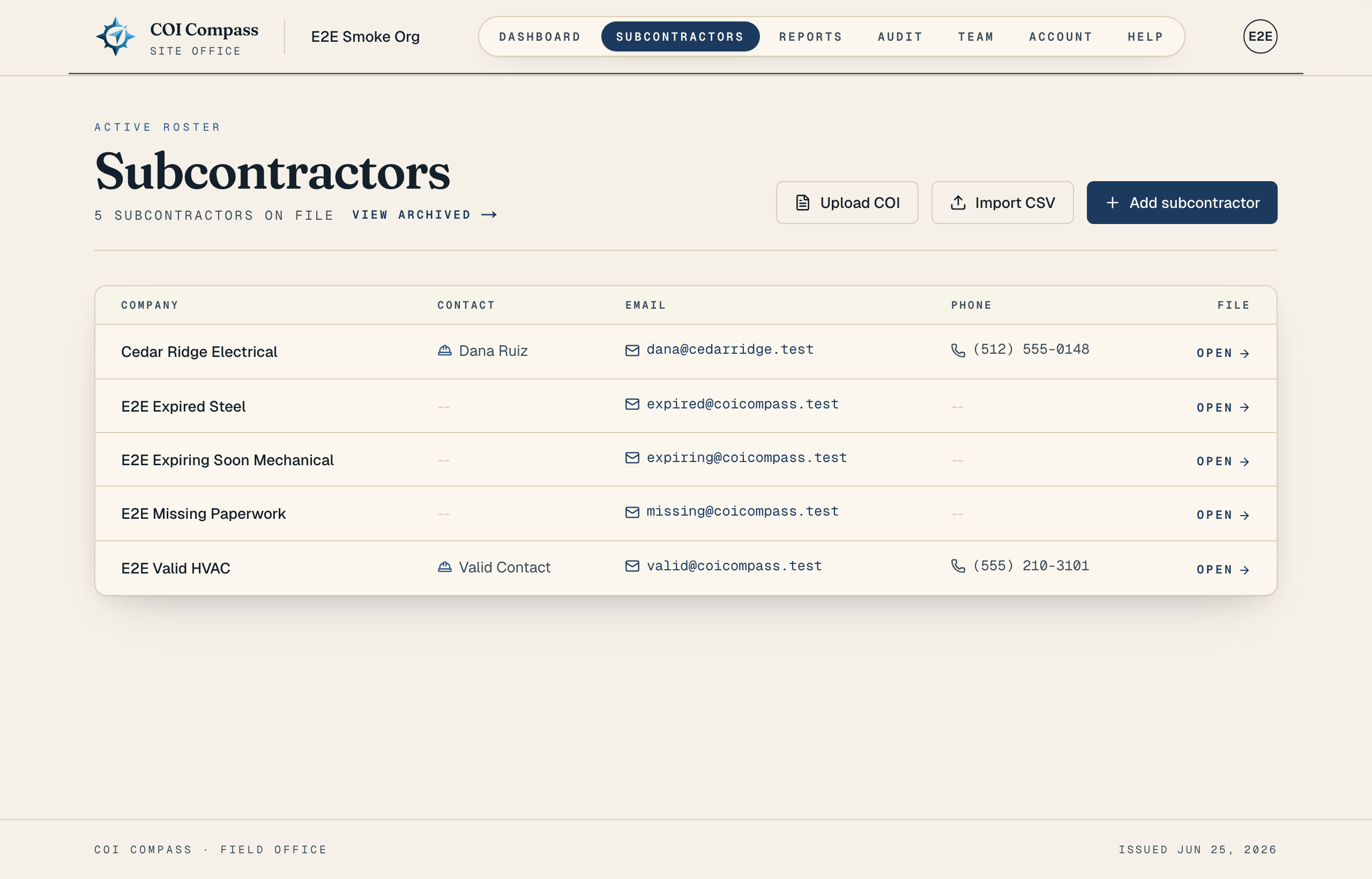
After saving, the company appears on the active roster with the rest of your subcontractors.
Common questions
Can I add a subcontractor without an email address?
Yes. Only "Company name" is required. You need "Contact email" only if you want to send the subcontractor an upload link.
What happens if I leave the upload-link checkbox off?
The subcontractor is still added to the roster. You can upload the COI yourself or send "Request COI" later from the subcontractor detail page.