
For contractors
3 minUse the AP hold report for accounting
Use the AP hold report to give accounting a focused list of subcontractors blocked from payment review.
Anyone on the team
- 1
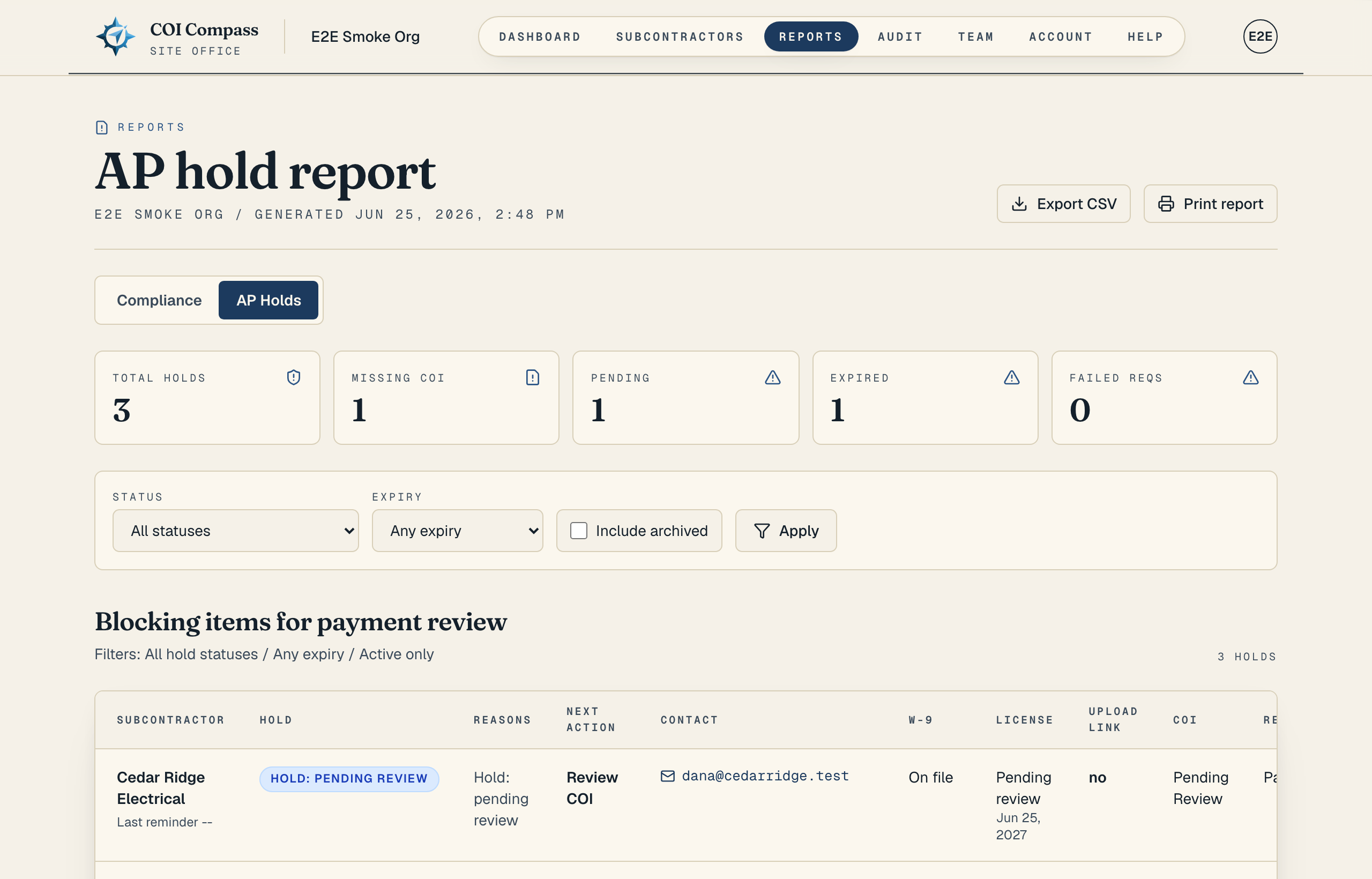
1.Open AP Holds
Click "Reports" in the top navigation, then choose the "AP Holds" tab.
A hold means the subcontractor has a blocker that accounting should review before payment. Common holds include missing, pending, rejected, or expired COIs, and failed insurance requirements.
- 2
2.Check the hold counts
The cards summarize the current blockers: "Total holds," "Missing COI," "Pending," "Expired," and "Failed reqs."
These counts help accounting see whether the payment hold list is mostly missing documents, waiting reviews, or failed requirement checks.
- 3
3.Review reasons and next actions
The table is labeled "Blocking items for payment review." Its columns are "Subcontractor," "Hold," "Reasons," "Next action," "Contact," "W-9," "License," "Upload link," "COI," "Requirements," and "Expiry."
Use "Reasons" to see why the row is blocked. Use "Next action" for the practical follow-up, such as "Request COI," "Review COI," "Request corrected COI," "Request renewal," "Resolve requirement failures," "Request W-9," or "Review license."
- 4
4.Turn on W-9 and license holds when needed
Missing W-9 and license holds are optional account rules. To include them, open "Account," find "Automation," then "AP hold rules."
Turn on "Treat missing W-9 as AP hold" when accounting wants 1099 readiness enforced. Turn on "Treat missing or expired license as AP hold" to include missing, expired, and pending-review licenses. Click "Save automation settings" when you are done.
Only organization owners can edit automation settings. Members can still read the AP hold report. - 5
5.Export for the AP team
Set the same "Status," "Expiry," and "Include archived" filters you want accounting to use. Click "Export CSV" to download the AP hold list, or click "Print report" for a print-ready version.
Common questions
Do W-9s always create AP holds?
No. W-9 holds are off by default. An owner must turn on "Treat missing W-9 as AP hold" before missing W-9s appear as payment blockers.
Why is a license showing on the AP hold report?
The account has likely turned on "Treat missing or expired license as AP hold." That rule includes missing, expired, and pending-review licenses.